
omniVUE / Harbour Operations
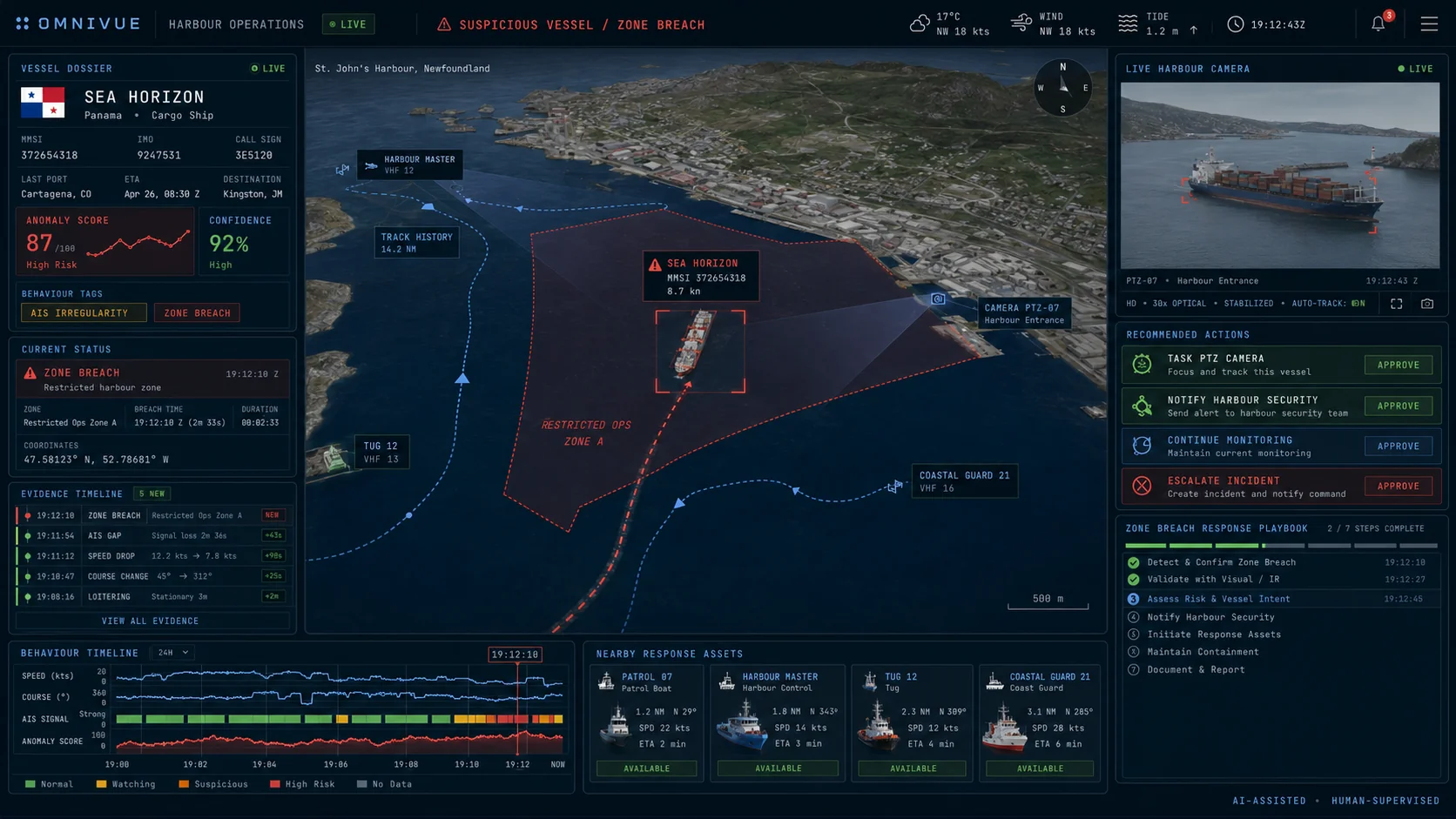
One live pictureof the whole harbour.
Vessel traffic, cameras, zones and weather in one place, so your team spots risk earlier and responds with the evidence in front of them.
01Overview
Harbour teams watch traffic, cameras, weather and radio on separate screens. omniVUE puts it all on one map, flags what needs attention and walks the team through the response.
- For
- Harbour masters, VTS operators, port security and emergency teams
- Connects
- AIS, fixed, PTZ and thermal cameras, weather, tide and partner data
- Runs on
- Any browser, from the control room to a phone
- Status
- Demonstrated in St. John's Harbour
02Scenario
Suspicious vessel. Restricted zone. One coordinated response.
A problem every harbour team recognizes, shown with capabilities omniVUE runs today.
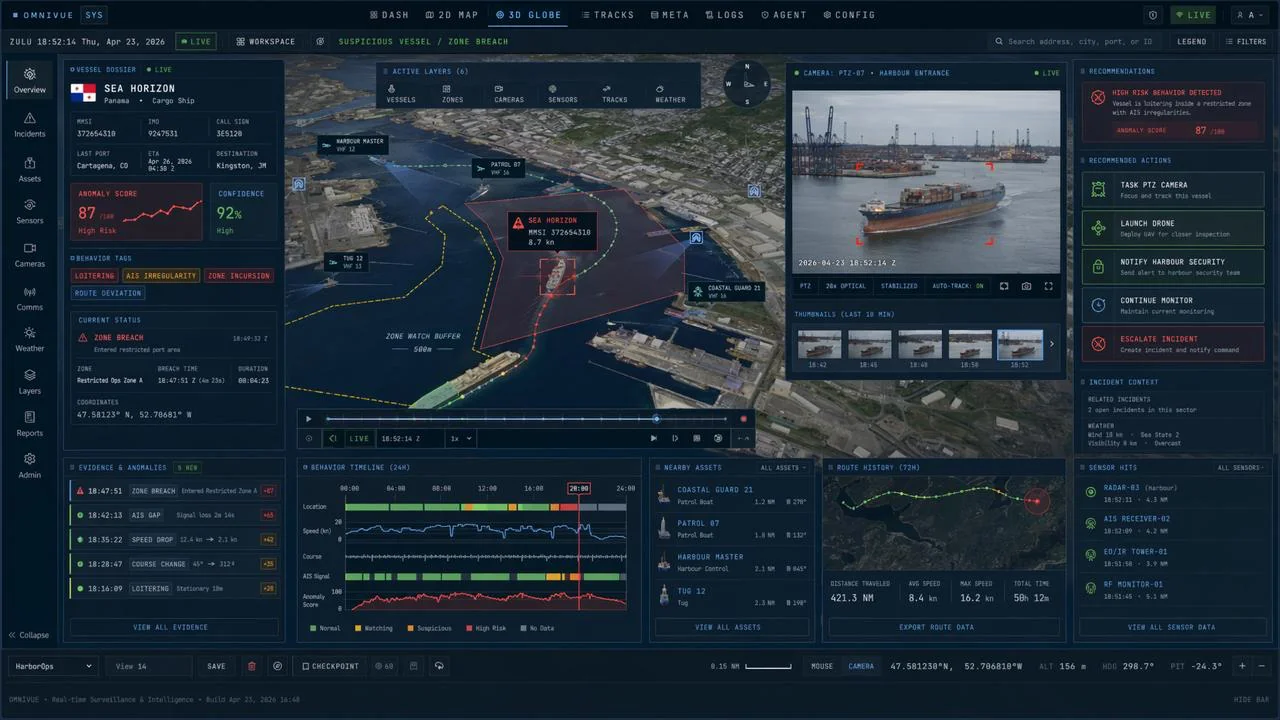
Detect the exception.
A vessel enters a restricted zone while its behaviour and AIS history point to elevated risk.
Check the evidence.
A harbour camera is tasked to the vessel and linked to the track, the zone event and recent behaviour.
Understand the situation.
Operators get a ranked assessment, the vessel's history and an AI-assisted summary.
Coordinate the response.
A playbook walks the team through verification, notification and escalation. Each action needs approval.
03Workspaces
Each team gets its own view of the same picture.
Harbour overview
Traffic, active zones, weather and current incidents at a glance.
Vessel traffic and safety
Movement, route history, closest-approach risk and changes in behaviour.
Security and incidents
Alerts, cameras, evidence, response assets and playbooks.
Emergency response
Stakeholders, assets, conditions and SOPs during high-consequence events.
Replay and training
Rehearse scenarios and review decisions in the same environment.
04Emergency response
Built for the moment the harbour changes.
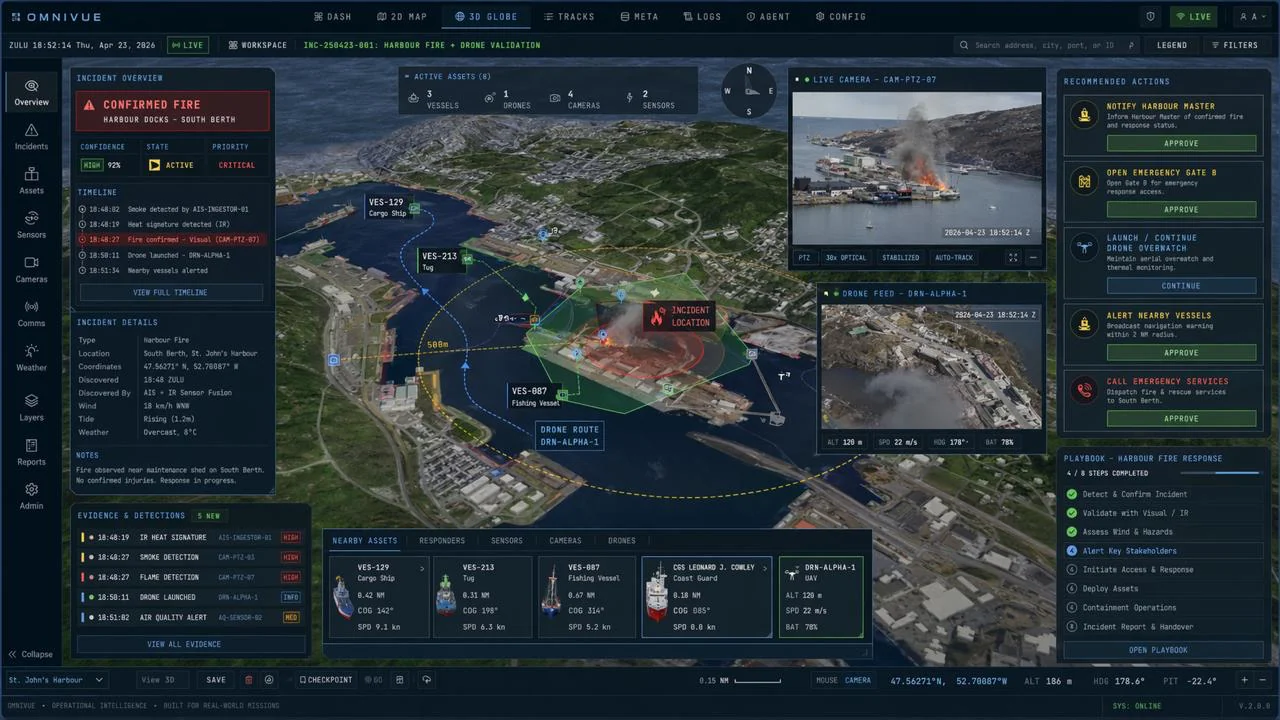
Evidence, assets and actions in one incident.
A harbour fire demonstration brings together visual confirmation, weather, nearby vessels, response assets and the emergency playbook.
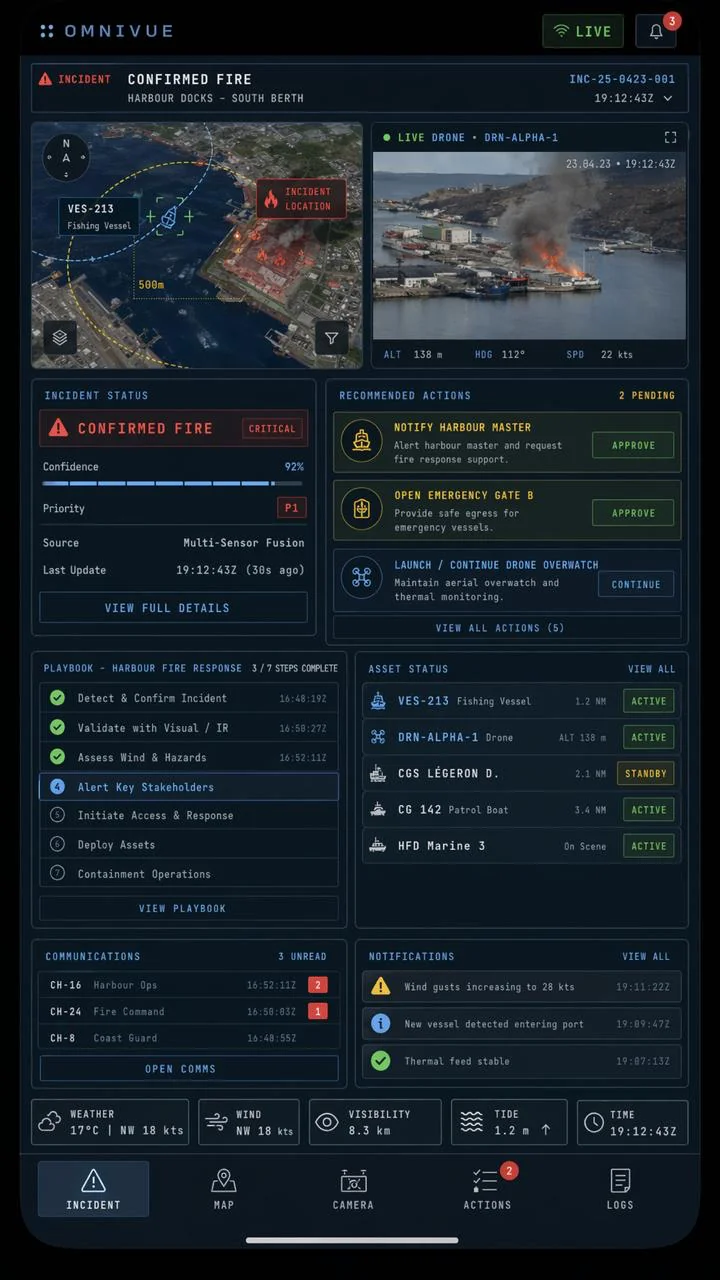
Stay informed away from the control room.
Approved users can follow incident status, actions, assets and alerts on their phones.
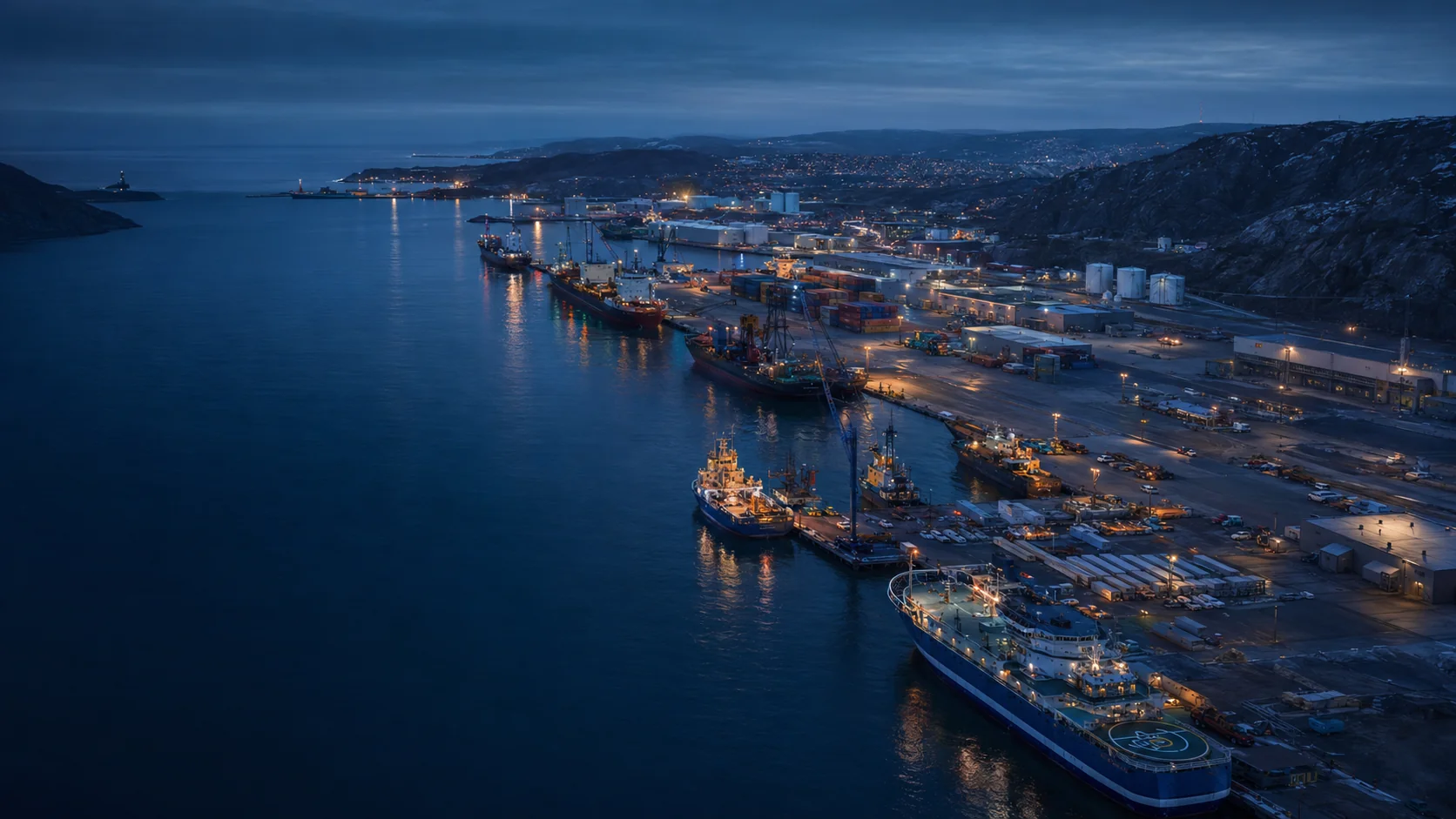
St. John's Harbour
We prove it in our harbour and set it up for yours.
We demonstrate omniVUE on a harbour we know well. The same setup adapts to ports of any size, operating model or risk profile.
Talk to us about your harbourSimulation and training
Train the response before the incident.
Run realistic scenarios through the same system you use live, for demos, integration testing, training and after-action review.