OMNIVUE FOR HARBOUR OPERATIONS
One operational picture for the entire harbour.
Bring vessel traffic, cameras, zones, weather and incident response into a shared live environment—so harbour teams can detect risk earlier and coordinate action with evidence.
Harbour Masters · VTS Operators · Port Security · Emergency Teams
Illustrative product environment · Human-supervised
01
Fewer disconnected screens
02
Alerts with evidence
03
SOPs in the workflow
04
Human-supervised action
FLAGSHIP SCENARIO
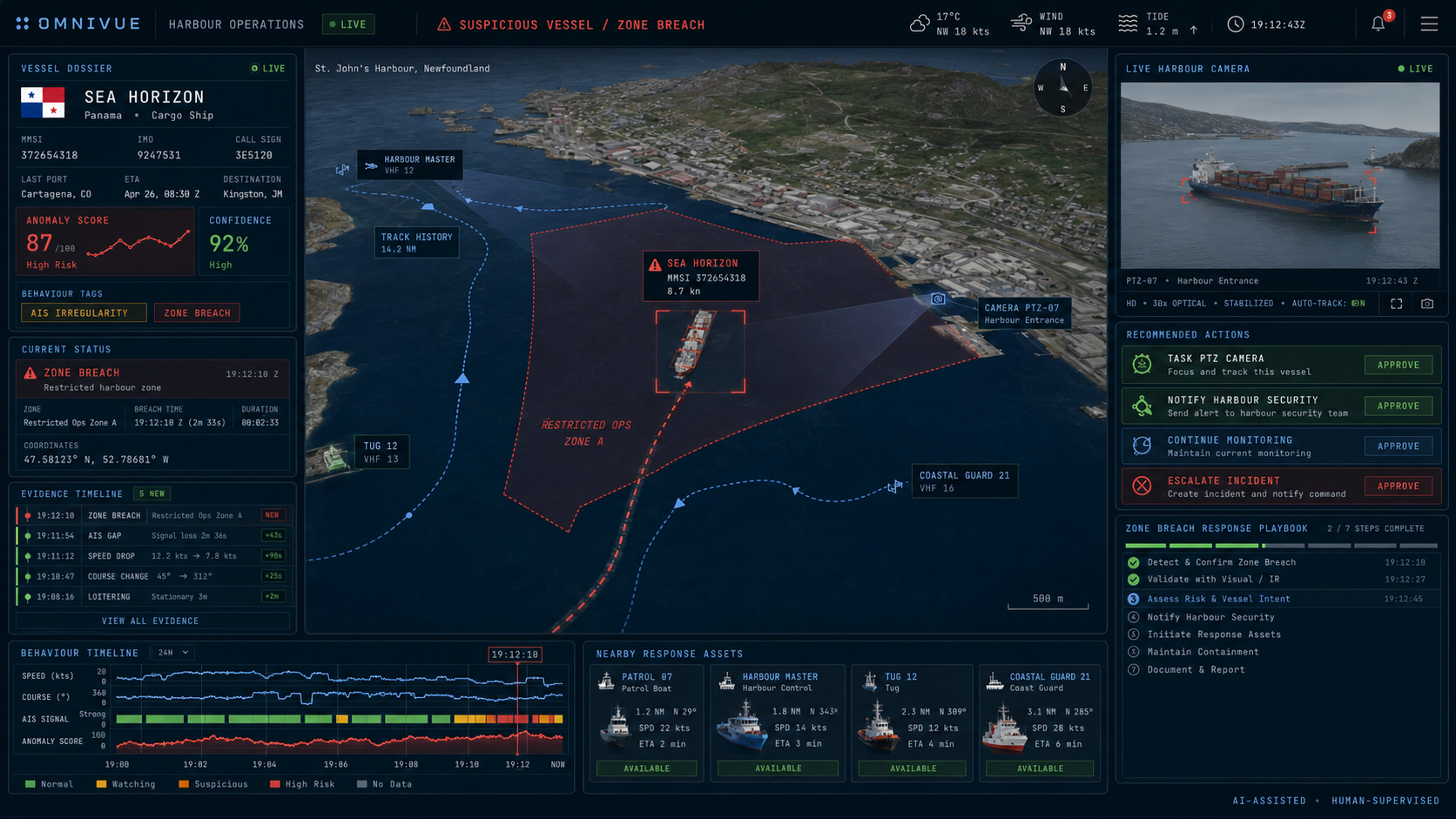
Suspicious vessel. Restricted zone. One coordinated response.
A conversion-focused demonstration built around a problem harbour teams immediately understand—and capabilities omniVUE can credibly show today.
01
Detect the exception
A vessel enters a protected area while its behaviour and AIS history indicate elevated risk.
02
Correlate the evidence
omniVUE connects the track, zone event, camera view and recent behaviour in one incident context.
03
Understand the situation
Operators receive a prioritized assessment, supporting evidence and AI-assisted analysis.
04
Coordinate the response
A configurable playbook guides verification, notification, escalation and accountable action.
DESIGNED AROUND THE OPERATOR
One platform. Different operational views.
Configurable workspace recipes help each team see the information, evidence and actions relevant to its mission without losing the shared operating picture.
01
Harbour overview
Traffic, active zones, weather, conditions and current incidents at a glance.
02
Vessel traffic & safety
Track movement, route history, closest-approach risk and changing vessel behaviour.
03
Security & incidents
Connect alerts, cameras, evidence, response assets and approval-gated playbooks.
04
Emergency response
Coordinate stakeholders, assets, conditions and SOPs during high-consequence events.
05
Replay & training
Rehearse scenarios, review decisions and improve readiness using the same operating environment.
EMERGENCY RESPONSE
Built for the moment the harbour changes.
EMERGENCY RESPONSE
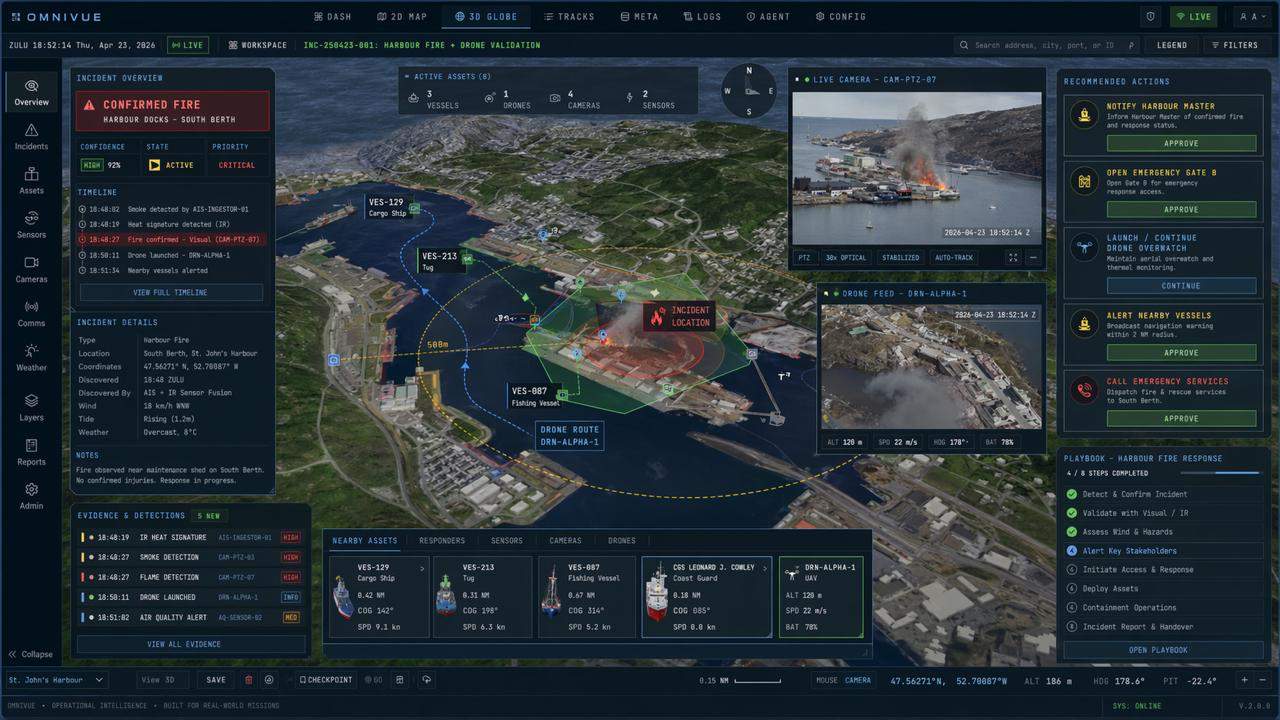
Bring evidence, assets and response actions into one incident.
A harbour-fire demonstration combines visual confirmation, weather, nearby vessels, response assets, recommended actions and a configurable emergency playbook.
OPERATIONAL CONTINUITY
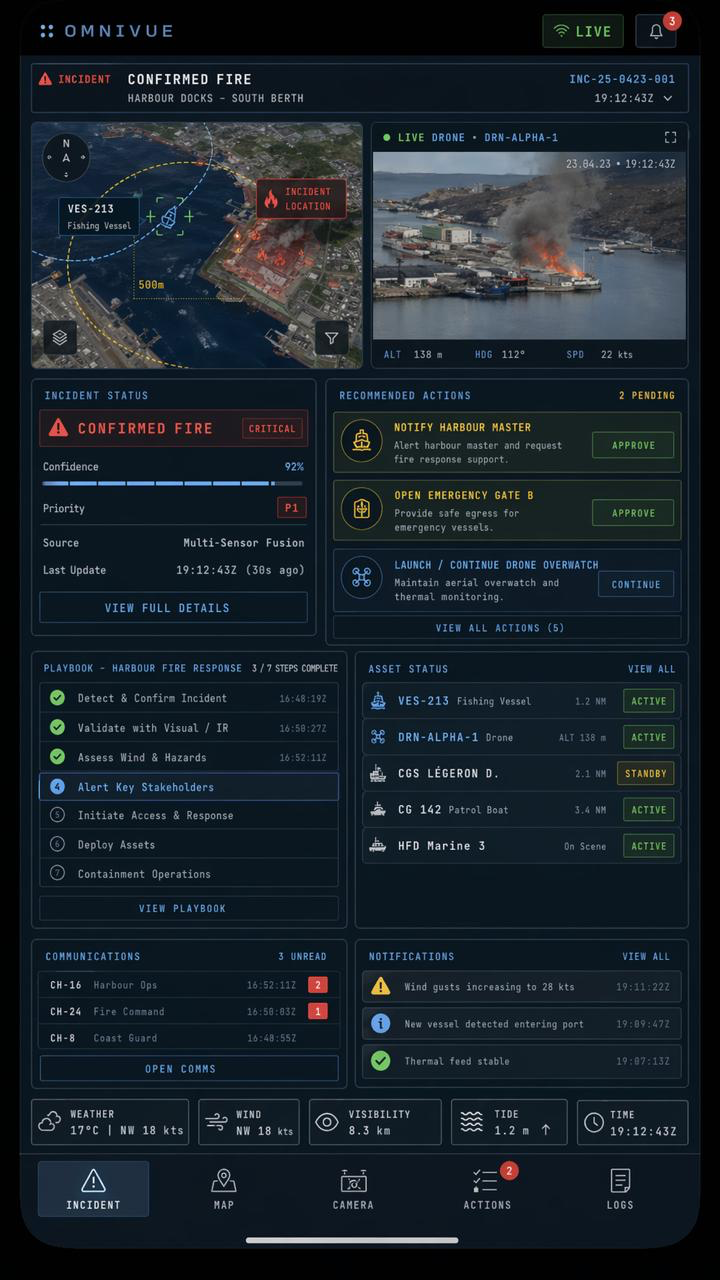
Maintain awareness beyond the control room.
Responsive operational views can keep approved users connected to incident status, actions, assets and notifications.
BUILT AROUND YOUR ENVIRONMENT
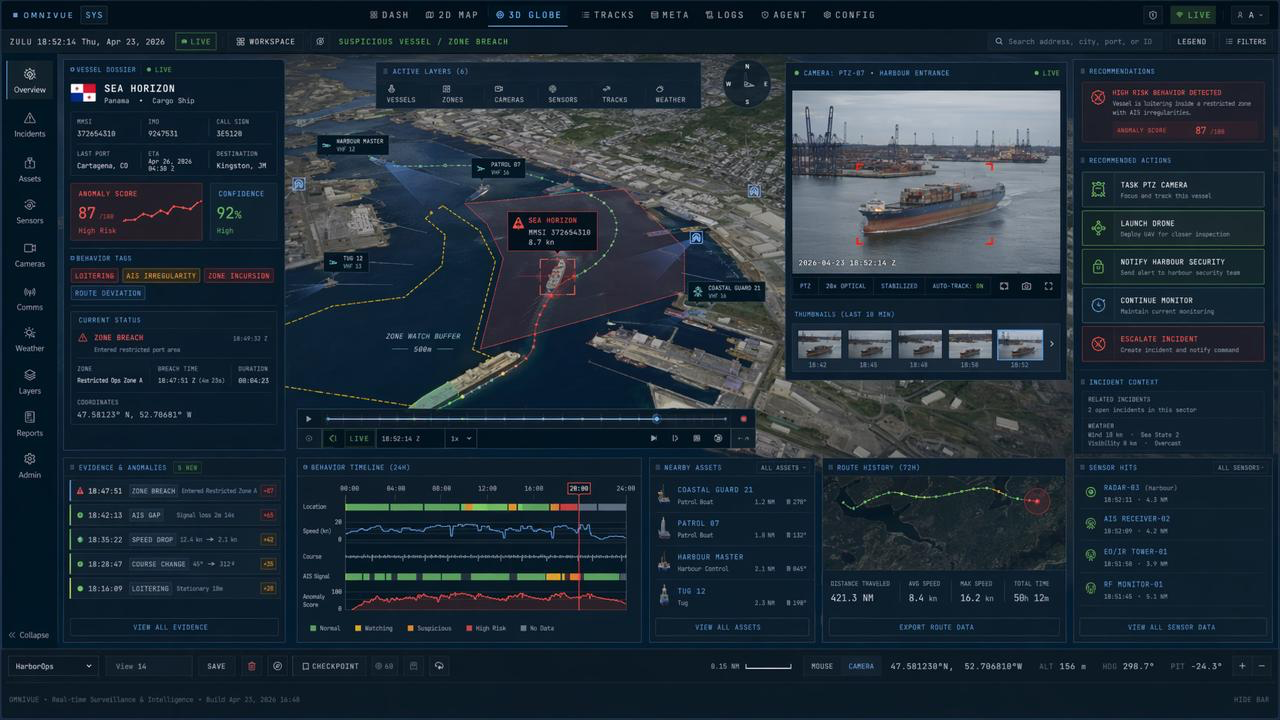
Connect the systems your harbour already depends on.
omniVUE is designed as an integration and decision layer, configured around the port’s data, rules, roles and response pathways.
DEMONSTRATED LOCALLY. DEPLOYABLE GLOBALLY.
St. John’s is the proving ground—not the boundary.
Our demonstration environment uses a harbour we know well to make the product tangible. The architecture, workspace recipes and integration model are designed for ports of different sizes, operating models and risk profiles.
SIMULATION & READINESS
Train the response before the incident.
Run realistic multi-object scenarios through the same operating environment used for live information—supporting demonstrations, integration testing, training and after-action review.

Canadian-built software for complex operational environments.
PO Box 1506, Station C
St. John's, NL
A1C 5N8
Canada
© 2026 ENGAGE CREATIVE TECHNOLOGIES